
 Fuck Each Other Not The Planet Unisex
 Wear My Kink
Privacy: Hiding Home Location

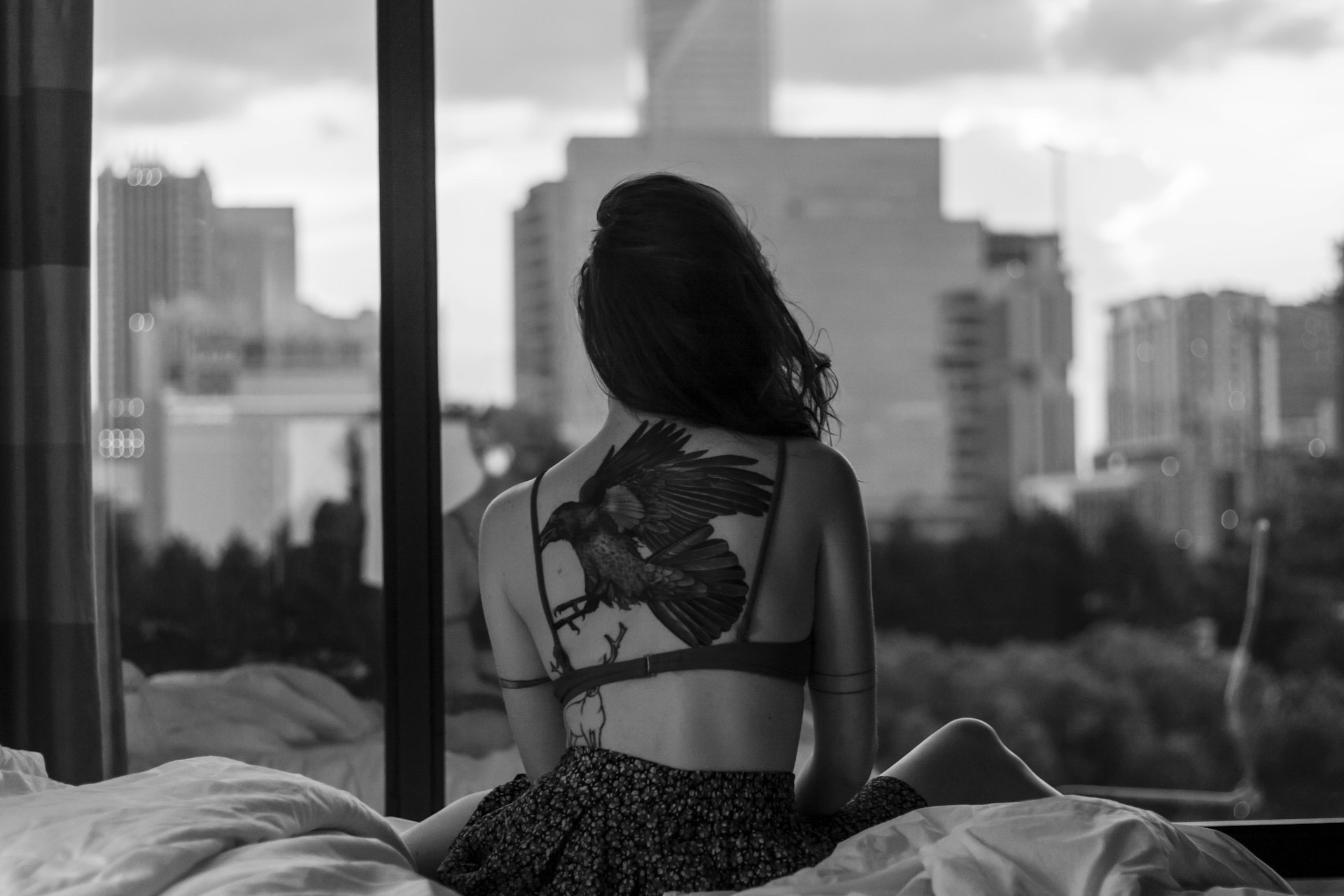
Privacy is not optional in the world of adult content creators and fans. If you want to keep your home location off the radar while still delivering top notch material you came to the right place. For a broader look at how daily life can be optimized on OnlyFans check out the Best Day in the Life OnlyFans guide. That pillar article covers routines, scheduling and real world tactics that keep your personal life separate from your public persona. This article zeroes in on hiding your home location without sacrificing quality or momentum.
Why privacy matters when you want to hide your home location
Hiding where you live is a practical layer of safety for both creators and fans. When your home city or street becomes part of online chatter it opens doors for doxxing stalking and do it yourself tips that end up leaking into real life. This is not fear porn it is smart risk management. Your location information can appear in many places from metadata embedded in files to simple comments that mention a neighborhood and even the route you take to a studio. The goal is to build a boundary that makes it harder for strangers to pinpoint your home base while still letting you run vibrant content channels. Think of privacy as a shield that lets you focus on the day to day grind and still keep your personal life intact.
Protecting your identity and personal safety
Identity protection is more than a buzzword. It is about controlling what information you share and where you share it. A strong privacy stance reduces the chances of harassment stalking or identity theft. It also protects your family and roommates who may not want to be part of your online world. When privacy is strong you can experiment with new looks styles and content formats without the fear that your address or real world presence becomes public knowledge. The punchline is simple you keep control of your own story and you decide what gets shared and what stays private.
Visibility versus vulnerability
Creators crave reach and fans want authentic access. The challenge is balancing visibility with vulnerability. You can be highly visible on OnlyFans without giving away your home base. That means being deliberate about geotags captions and prompts that could reveal where you live. It also means choosing content themes that evoke the vibe you want without giving away street names or landmarks. The balance is a constant negotiation and the payoff is a safer space to express yourself and build a sustainable business or fan community.
Best Day in the Life OnlyFans - Updated October 2026
| Picture | Model Name | Description | Price | View Profile |
|---|---|---|---|---|
|
🌹 Lexy - Fifty Shades of Fantasy 🌹 | Hey, I’m Lexy, your Ukrainian muse weaving pleasure and artistry into every moment. Think Fifty Shades of Grey with a twist of elegance—soft silk, subtle control, and electric energy. 😘 Whether I’m leading with confidence or surrendering to the vibe, my world is all about sensual details and quiet power. Join me for exclusive, breathtaking content: from sultry yoga flows to modern art-inspired visuals that ignite your senses. My page is your sanctuary for beauty, desire, and connection. Ready to explore the depths of passion with me? Subscribe now and let’s create something unforgettable. 💋✨ | FREE | View Profile |
|
😈🥵PETITE ASIAN Jamie Luna | Tiny Asian fucktoy who drops full length videos daily. Anal, creampies, facials, JOI and dick rates on demand. | FREE | View Profile |

|
Laila 🔥 La Diosa Dominicana | Seductive Dominican goddess who mixes sweet charm with raw dominant energy. She’ll have you addicted fast...confident, bossy, and dangerously addictive. | FREE | View Profile |
|
😈 Ali Cruz Da Latina 💓 | If you love curvy Latinas who go all the way, Ali is a must. Her JOI, B/G content and raw sexual energy make her one of the top choices in the spicy Latina kink category. | FREE | View Profile |
|
😈 Anna Filthy Princess 👑 | Innocent face, filthy mind, and insanely flexible body. This yoga princess is one of the best hidden gems for fans of submissive flexibility and total corruption. Highly recommended. | FREE | View Profile |
|
❤️Mira 🇲🇾 | Quiet Asian girl who needs attention and slowly turns into a needy slut. Soft start, filthy finish. | FREE | View Profile |
|
Kristine Martinsen 🇳🇴 | Cute accounting student with a secret slut side. Petite body, playful tease, and gets needy when treated right. | FREE | View Profile |
|
🇬🇧 Submissive British Sofia 🧚 | Sultry British submissive with perfect tits and an addictive posh accent. Sweet charm meets total obedience, dangerously addictive. | FREE | View Profile |
|
ミ💗Mariposa💗彡 | Precision by day, complete whore by night. She designs buildings then bends over and turns every fantasy into a dripping mess. | FREE | View Profile |
|
Viktoria Kristensen 🇳🇴✨ | Adorable petite Scandinavian blonde with a naughty playful side. Sweet smile, tight body, and loves teasing...instant gooner bait. | FREE | View Profile |
How to hide your home location step by step
Below is a practical flow you can follow to protect privacy while staying true to your brand and output. Each step builds on the previous one so you can implement quickly and feel secure as you grow.
1. Create a stage name and separate personas
A strong privacy habit starts with separating your personal life from your creator persona. Use a stage name that does not resemble your legal name and avoid sharing identifying details in bios or captions. If you are a content creator who collaborates with others consider a separate business contact channel that does not include your home address. The simpler the separation the easier it is to keep private details out of the mix.
2. Lock down device privacy settings
Smartphones tablets and computers are rich with data that can spill location information unintentionally. Disable location sharing in apps that do not need it turn off location services and review app permissions regularly. When you post photos or videos remove metadata that contains GPS coordinates before uploading. A quick check is to export the file and verify the metadata not present. If it is present you can use built in tools or a dedicated EXIF remover to scrub it out before posting.
3. Use a reliable VPN and a private network
A virtual private network or VPN masks your real IP address making it harder for others to trace your location. Choose a reputable provider that does not log traffic and test the service with multiple devices. Avoid free VPNs which often come with compromises on privacy and speed. For creators who travel a lot a portable router or a dedicated privacy focused device can be a smart investment. The goal is to create a consistent layer of protection whether you are at home or on the road.
4. Separate personal and professional mailing and payment trails
Keep business payments separate from personal finances and use a business mailing address or PO box when sending or receiving gear and shipments. If you rely on digital platforms for payments make sure your billing address is not accidentally attached to public posts or comments. When in doubt use a business contact and avoid sharing home address details in any messages or onboarding flows.
5. Control what readers can see in your content
Visuals reveal more than you might expect. Consider cropping out background elements that show your neighborhood or street signs. Be mindful of door numbers mailbox labels and obvious landmarks in your shots. For shoot locations consider using controlled indoor spaces or rented studios when possible. If you must film at home create a dedicated space that does not reflect your real living area such as a converted garage or closet studio set up. The more you control the frame the less chance your home creeps into the footage.
6. Plan ahead for shoots and collaborations
When filming with others agree on privacy expectations in advance. Use a non disclosure style agreement or a simple written note that outlines what is allowed to be shared. Decide whether home location details will be mentioned in captions or comment threads and avoid sharing street level details in any public space. If you are traveling consider a temporary location safe enough to work with less risk of exposing private information.
7. Build a robust content calendar and routine
A predictable schedule reduces the overlap between your home life and your creator life. When fans know you post on set days or weekly windows you reduce the need to reveal beyond your chosen brand moments. Use a schedule that keeps you organized and protects your privacy while still delivering value for your audience.
8. Secure your gear and deliveries
Keep equipment storage private and consider secure pickup for gear that arrives at your home. If possible use a separate mail drop for all business related shipments. Label boxes in a neutral way and avoid photos on social channels that show your address or delivery specifics. If a package requires a signature arrange for a trusted pickup location to minimize on site exposure.
9. Social media discipline and fans interaction
A lot of privacy protection happens in the margins. Do not reveal your home area in comments or private messages. Be careful with location based jokes or stories that hint at your neighborhood. When you meet fans in real life keep interactions in public spaces and never share a home address or household particulars. Consistent privacy discipline will make your life easier and your career more sustainable.
10. Create a privacy safety routine
Build a routine that you follow weekly. It should include a quick audit of who has access to your personal information verification that EXIF data is removed from new posts and a quick check of device privacy settings. A small routine executed consistently beats a big last minute scramble every time.
Content creation best practices that reduce privacy risk
What you post matters just as much as how you post it. Here are practical recommendations that keep your home location safe while still letting you produce compelling material for your audience.
- Always blur or crop any background that might reveal your home environment
- Avoid geotags and location specific captions unless you have a controlled and intentional reason to use them
- Use studio spaces or rented locations for shoots that require a strong sense of place
- If you share live streams ensure the venue does not reveal live address or easily traceable routes
- Create a standard privacy note in your bio outlining your policy on sharing private information
Digital hygiene and privacy tools to consider
Smart privacy requires the right tools. Here is a quick toolkit that fits a creator who is building a serious business while protecting private life.
- EXIF data removal tools for images and video before posting to any public channel
- A trusted VPN configured on all devices used for content creation and management
- A dedicated device or user profile for business activity separate from personal life
- Two factor authentication on all accounts that handle financial transactions or private messaging
- Regular router security audits including strong passwords and updated firmware
Real life scenarios that illustrate privacy in action
Let us walk through a few everyday situations to show how privacy choices affect outcomes. These stories are relatable and designed to help you apply the tips in practical ways.
Scenario one the content creator who films at a rented studio
You book a small studio for an intimate shoot featuring a soft lighting setup and close up hosiery work. The framing is tight the background is a clean studio wall and nothing reveals your home. You show up using a stage name and leave with a simple return to your car. The privacy steps already paid off because there was no risk of your address being hinted at in the video or the promo posts you share after the shoot.
Scenario two a traveling creator who wants to stay private
You travel for a shoot and stay in a hotel. You use a separate business line for all communications and avoid sharing the hotel name or room number in captions or messages. When posting you keep the live location out of sight and you tag a broad area instead. A quick post script notes the shoot location in a controlled way for fans who request a location vibe but without exposing your private space back home.
Scenario three a collaborative shoot with a partner
You collaborate with a partner who also wants privacy protection. You agree on a shared privacy protocol including a contract that states no one discloses home addresses and both parties blur the home setting in any shared content. You use a separate mailing address for gear deliveries and you both keep detailed notes of where shoots take place and who has access to that information. The result is a smooth collaboration that respects boundaries while delivering high quality content.
Scenario four an unexpected location tag ends up in a post
Sometimes privacy slips through the cracks. A quick fix is to remove the tag from the post delete any comments that reveal your neighborhood and post an updated caption that keeps the vibe but hides the specifics. If the image has location metadata you scrub it before re uploading. Transparency with fans about your privacy approach can also turn a potential misstep into a show of responsibility and maturity.
Common mistakes fans and creators make and how to avoid them
Avoiding privacy pitfalls is easier when you know the usual traps. Here are the common missteps and practical fixes you can apply today.
- Over sharing personal stories that include street names or landmarks
- Posting live location in real time during events or shoots
- Ignoring metadata on image and video files
- Using a home based shipping address for business deliveries
- Not testing privacy settings across devices and platforms
How to talk about privacy with fans without breaking the magic
Fans crave authenticity and a sense of connection. The privacy talk can feel dry but it is essential. Be transparent about your privacy rules in your public bios and in your custom content menus. Let fans know that you protect home life while delivering top quality material. When fans feel respected and safe they become more loyal and more likely to support long term. You do not need to share private details you can still create an intimate and exciting experience while keeping your home location private.
Team and partner privacy considerations
If you work with photographers editors or assistants define privacy expectations in advance. Use contracts that include location disclosure limitations and data handling rules. Make sure everyone on the team understands the boundaries and the reasons behind them. A unified privacy approach reduces risk and keeps the creative pipeline flowing smoothly.
Safety resources and quick references
Below is a quick reference list you can bookmark. These are practical actions you can implement without overhauling your entire workflow.
- Audit your social media bios and remove any mentions of your home city or street
- Install reputable security software and keep devices updated
- Practice EXIF data removal on all content before posting
- Use a PO box or business address for mail and shipments
- Keep a privacy focused travel routine for shoots away from home base
FAQ
What tools help remove location data from images
Use built in photo editing tools or dedicated apps to strip EXIF data before posting. This removes location coordinates from the image file.
Will a VPN hide my location from OnlyFans
A VPN hides your real IP address from websites including OnlyFans. It should be part of a larger privacy strategy that also includes device settings and careful content framing.
Should I reveal my general location instead of my exact address
In most cases a broad city or country is safe if you choose to mention location. Avoid street level detail which can be used to identify your home.
How can I protect my home while still growing my audience
Focus on content that emphasizes style and mood rather than location. Use controlled sets rent studio spaces or use a privacy minded home studio. Regularly review privacy settings and maintain clear boundaries with fans and collaborators.
What mistakes should I avoid when posting content
Avoid posting location tags avoid caption jokes that reference your real neighborhood and never reveal your home address in any public space.
Is it safe to receive gear deliveries at home
Prefer a business address or PO box for deliveries. If you must receive gear at home choose a discreet front door and consider a drop off without signature options where available.
How do I discuss privacy with collaborators
Use a simple written privacy brief that outlines what information may be shared and how to handle locations during shoots. Ensure everyone signs or agrees digitally before work starts.
Can fans help protect my privacy
Fans can support privacy by respecting boundaries and not pressuring for personal details. They can also report suspicious activity if they notice signs that privacy is being compromised.
What should I do if I feel my privacy has been breached
Take immediate steps to secure accounts change passwords enable two factor authentication and remove or edit any posts that include private details. If needed contact platform support for guidance and consider adjusting your privacy settings or taking a temporary pause from posting while you reassess.
Explore Popular OnlyFans Categories
Anal
Asian OnlyFans
BDSM
Big Ass OnlyFans
Big Tits OnlyFans
Bimboification
Bisexual OnlyFans
Brunette OnlyFans
Cheerleading Uniforms
College OnlyFans
Cosplay
Cuckold
Deepthroat OnlyFans
Dick Rating OnlyFans
E Girl OnlyFans
Exhibitionism
Feet
Fetish Models
Foot Worship
Goth
Hairy OnlyFans
JOI OnlyFans
Latex
Lesbian OnlyFans
Lingerie
Massages
No PPV
OnlyFans Blowjob
OnlyFans Streamers
Pegging
Petite OnlyFans
Piercings
Pornstar
Skinny
Small Tits
Squirting
Swinging
Tattoos
Teacher OnlyFans
Thick
Trans
Yoga OnlyFans
Oh and if you're looking for our complete list of the best OnlyFans accounts by niche, fetish and kink...check this out: Best OnlyFans Accounts
