
 Fuck Each Other Not The Planet Unisex
 Wear My Kink
Audio: Ensuring Voice Clarity over Beats


Welcome to Filthy Adult’s practical guide to audio for lo fi content. If you crave voice that cuts through mellow beats without losing warmth you are in the right place. This is your field manual whether you are a creator chasing crisp narration or a fan who wants clear dialogue to match the vibe. For the full picture of our lo fi world visit our Best Lo Fi OnlyFans article.
What voice clarity means in lo fi content
Voice clarity is more than just speaking into a microphone. It is about ensuring every word lands with where the breath belongs and the mood remains intact. In lo fi setups the challenge is twofold. First the beat must feel intimate and organic yet not drown the spoken part. Second the environment may be less than ideal which means you need techniques to carve space for the voice without sacrificing character. Clarity means intelligibility at natural listening volumes and across devices from tiny earbuds to full size studio monitors. It also means consistent loudness across segments so the listener never has to adjust or strain.
Think of a quiet coffee shop scene where a whisper can still carry through the ambient noise. Now imagine that you want the listener to hear the emotion in the voice while a warm beat hums in the background. The goal is a balanced mix where the voice sits above the beat like a confident host who keeps the audience in focus. In practice this means careful mic choice and placement coupled with smart processing that preserves tone not just loudness.
Key terms explained
To avoid nerdy guesswork you should know a few terms that come up often in lo fi audio. A quick glossary worth keeping on hand includes:
- Signal to noise ratio This is the amount of useful signal versus the unwanted noise in a recording. A higher ratio means cleaner sound and more clarity for the voice.
- Dynamic range The difference between the quietest and loudest parts of a recording. A healthy dynamic range keeps voice natural and expressive while the beat remains steady.
- Frequency response The range of frequencies a microphone or system captures. Voice sits primarily in the mid range but energy in the upper mids can affect intelligibility on busy mixes.
- Pop filter A screen placed in front of the microphone to reduce plosives such as p and b sounds that rush air toward the mic.
- Gain staging The process of setting levels in each stage of the chain so the signal is strong without clipping.
- Compression A tool that reduces the dynamic range to maintain a consistent level. Used correctly it keeps voice steady without sounding squashed.
- Expansion and noise gate Techniques to reduce hiss and room noise when the voice is not present.
- De esser A processor that suppresses sibilant sounds such as s and sh that can become harsh on certain voices or mic setups.
- Equalization The shaping of frequency content to achieve a clearer voice and better fit with the beat.
- Sample rate and bit depth Technical settings that influence the fidelity of a recording. Higher values capture more detail but require more storage.
- Duck or sidechain compression A method where the beat is reduced in volume whenever the voice speaks so the two elements sit distinctly.
In plain language these terms are your tool kit. They help you shape the way a voice sits on top of a beat so that the listener can hear every syllable without fighting the music for attention.
Best Lo Fi OnlyFans - Updated October 2026
| Picture | Model Name | Description | Price | View Profile |
|---|---|---|---|---|

|
😈 Ali Cruz Da Latina 💓 | If you love curvy Latinas who go all the way, Ali is a must. Her JOI, B/G content and raw sexual energy make her one of the top choices in the spicy Latina kink category. | FREE | View Profile |

|
Laila 🔥 La Diosa Dominicana | Seductive Dominican goddess who mixes sweet charm with raw dominant energy. She’ll have you addicted fast...confident, bossy, and dangerously addictive. | FREE | View Profile |

|
🇻🇳 Rae (´。• ᵕ •。`) | Cute Vietnamese cutie who’s shy in public but gets playful once you subscribe. Perfect for soft teasing and slow corruption. | FREE | View Profile |
|
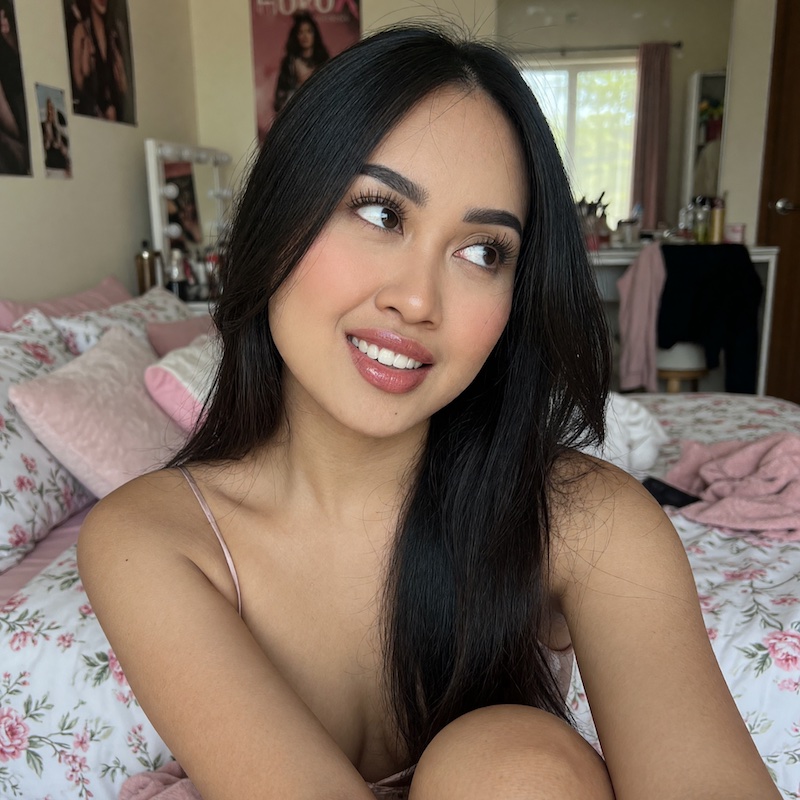
❤️Mira 🇲🇾 | Quiet Asian girl who needs attention and slowly turns into a needy slut. Soft start, filthy finish. | FREE | View Profile |

|
Amelia🌿 | Petite athletic Latvian girl who looks soft and innocent. Tight body and just enough tease to keep you stroking. | FREE | View Profile |

|
Kira 💎 | Fresh Asian girl still new to this. Soft and cute now, but clearly waiting to get broken in. | FREE | View Profile |

|
Valentina 🍑 BIGGEST ASS ON ONLYFANS | Latina 🍑 fire with the biggest cheeks. She takes 😈 charge and makes sure you feel it. | FREE | View Profile |

|
Filthy Latina MILF Paula Flores 😈 | Hot busty Latina MILF who delivers exactly what she promises. Personally one of my favorites, fiery, kinky, and always down for dirty talk and intense sessions. She knows how to dominate your screen. | FREE | View Profile |

|
Dominatrix Luna 🐈⬛ | Strict Mommy Domme who excels at total control and sensual humiliation. Perfect for subs craving real power exchange and surrender. | FREE | View Profile |

|
🇬🇧 Submissive British Sofia 🧚 | Sultry British submissive with perfect tits and an addictive posh accent. Sweet charm meets total obedience, dangerously addictive. | FREE | View Profile |
Gear and room setup for clean voice
Your gear choice often determines how easy it is to achieve voice clarity over a lo fi beat. You do not need a fortune to start but you do need a thoughtful approach to the chain from capture to delivery. Here is a practical checklist that covers both gear and environment.
Microphones and why they matter
The microphone is the loudest gatekeeper of voice quality. In lo fi work you have options that fit different budgets and workflows. A few concepts to keep in mind:
- Dynamic microphones These mics are rugged and less sensitive to room noise. They excel in untreated spaces because they do not pick up distant echo as aggressively. They are ideal for rougher rooms or on the go field recording. The price is usually friendly and the tone tends to be punchy which can help voice cut through a beat.
- Condenser microphones These mics are more sensitive and capture more highs and subtle details. They shine in treated rooms or controlled environments. If you want lush tone and creamy sibilance a condenser is a solid choice. They can pick up unwanted room noise if the space is not well managed.
- USB mics A convenient all in one solution that plugs into a computer. They are great for quick setups and pod style recordings but you might outgrow them if you want professional level control over gain and monitoring.
- XLR based setups If you want maximum control you will likely use an XLR mic connected through an audio interface. This chain offers more headroom and better integration with outboard processors and high quality preamps.
Choosing between a dynamic or a condenser often comes down to your space and your comfort with room acoustics. If your room has hard surfaces and echoes a dynamic mic is a safer bet for clean voice. If you have some treatment or you can control reflections a condenser will bring a richer vocal texture that sits nicely with lo fi beats.
Interfaces and recorders
The interface is the bridge between the microphone and your computer or recording device. A good interface provides clean preamps low noise and reliable conversion. Look for these features when you shop:
- Two or more mic preamps with adequate phantom power if you use condenser mics
- Low self noise and good dynamic range
- Direct monitoring to avoid latency during recording
- USB USB-C or Thunderbolt connectivity for your setup
For handheld or on the go work a quality portable recorder can be a lifesaver. It lets you capture voice cleanly away from a studio and then you can transfer the file later for post processing. The key is consistent levels and easy to manage files that do not require heavy re recording sessions.
Acoustic treatment and room acoustics on a budget
A room that sounds like a bathroom is not your friend. You do not need a purpose built studio to get decent results. Simple moves can materially improve voice clarity even in a small apartment. A few practical tips include:
- Soft furnishings block echoes. A couch a rug and cushions can do wonders
- Placement matters. Record closer to a wall and away from reflective surfaces to reduce flutter echoes
- DIY absorbers. Thick blankets hung on walls or cardboard frames wrapped in acoustic foam or dense fabric can reduce reflections
- Dedicated vocal booth option. A small closet filled with hanging clothes can act as a makeshift vocal booth
These steps do not cure every problem but they reduce reflections and make the voice sit more naturally in the mix. A cleaner room means a calmer more detailed captured voice which in turn reduces the amount of processing needed later.
Recording techniques for voice over beats
Voice over beats requires careful technique to ensure the voice remains clear while the beat provides mood. Here are practical approaches that you can apply regardless of your gear.
Microphone placement basics
Placement is a simple yet powerful lever for clarity. Start by setting the microphone roughly 6 to 12 inches away from your mouth. This distance offers a balance between proximity effect and ambient capture. If you want more presence push the mic closer but watch for plosives and siblance. If you prefer a softer tone pull back to 18 inches or more and use a pop filter to tame the breath sounds. For a punchier sound consider angling the mic slightly off axis to reduce sibilance while keeping voice intelligible.
Experiment with slight adjustments as you read your script. A small tilt of the microphone can dramatically alter the perceived tone. Most people sound warmer when the mic is slightly off center and below mouth level rather than directly in line with the lips.
Handling beats and bleed
Beats will always leak into a vocal take to some degree. The goal is to keep the voice intelligible while preserving the vibe of the beat. A few techniques help achieve this balance:
- Private space gating. A gentle noise gate reduces background hiss and room noise when you are not speaking but be careful not to gate the voice itself when you produce a quiet phrase.
- Selective emphasis. A brief high shelf boost around 4 to 6 kHz can help consonants become crisper especially s and t sounds which improves speech intelligibility in busy mixes.
- Room feeling control. If the room contributes a lot of reflected energy you may want to dampen those reflections during the vocal take with soft furnishings or a portable absorber.
During mixing you can decide how much the beat should ride under the voice. A common approach is to lower the beat level just a notch when the voice speaks and then restore it during pauses. This ducking keeps the voice clear without making the beat disappear from the track.
Monitoring and headphones
Monitoring is the director seat for the recording process. Use closed back headphones during tracking to avoid bleed from the beat into the microphone. If you can swing it a small near field monitor lets you hear how the vocal and beat interact on actual speakers. Confirming translation across devices is crucial because a voice you hear in headphones might sound different on a phone speaker or a laptop speaker. If possible reference a few devices during the final check to ensure clarity remains consistent.
Post production workflow for lo fi voice clarity
Post production is where you shape the final character of the voice. This stage is about refining the captured tone rather than transforming it into something it is not. A practical workflow keeps things organized and repeatable so you can deliver consistently strong voice quality across episodes.
Organizing your project
Label files clearly with dates and take numbers. Create a naming convention that makes it easy to locate the vocal tracks and the beat stems. A well organized project reduces stress and speeds up delivery when you have tight deadlines or client requests. Use a session structure that mirrors your recording flow. For example arrange tracks as Voice Lead Beat and Sub Bass. This leads to efficient processing and easier adjustments later.
Noise reduction and cleanup
Noise reduction helps tame room hiss and background rumble without dulling the voice. Apply a gentle high cut to remove the rumble below 80 Hz and use a noise reduction tool carefully to avoid removing warmth in the voice. It is better to perform heavy noise reduction sparingly. Subtle reductions keep the voice natural while the rest of the track breathes.
Equalization for clarity
EQ is about carving space for the voice. A common approach is to gently roll off very low frequencies that do not contribute to the voice and can muddy the sound. A gentle presence boost around 2 to 4 kHz can improve intelligibility particularly for sibilant sounds. If you hear harshness around 6 to 8 kHz you may reduce a touch or switch to a smoother microphone model in future sessions. The goal is to deliver a natural voice that sits on top of the beat without sounding clinical.
Compression and dynamic control
Compression helps maintain a consistent vocal level, ensuring words stay audible across the beat. Apply light compression with a low ratio such as 2 to 1 and a slow attack to avoid squashing the initial consonants. A release setting that follows the natural rhythm of speech helps the voice feel alive rather than robotic. A gentle makeup gain after compression keeps the vocal consistently loud without introducing new noise.
Deessing and high frequency control
Sibilance can become prominent after EQ and compression. A de esser targets harsh sibilant frequencies typically around 5 to 8 kHz. Use a subtle reduction so the s is present but not piercing. If your voice has naturally bright highs you may need a lighter touch. The aim is a balanced crispness without sharpness that makes the listener cringe.
Dynamics and mastering touch
Lo fi projects benefit from a light mastering touch that preserves the vibe. A slight overall loudness boost and a final limiter can keep the track from peaking while preserving the character of the voice and the beat. Do not overdo it. The charm of lo fi is warmth and intimacy not brick wall loudness. A measured approach yields the most natural feeling across different listening environments.
Reference tracks and iteration
Use reference tracks with a similar vibe to compare tonal balance and loudness. Regularly A B tests your tracks against established references so you know you are maintaining clarity while keeping the lo fi mood. Use your ears first and rely on measurement tools to confirm what you hear is consistent.
Workflow examples for fans and creators
Whether you are a creator delivering content or a fan evaluating it this section provides concrete workflows you can adapt. The goal is to give you practical steps you can implement without needing to become a full blown audio engineer.
Creator workflow one
Step 1 prepare your space with a simple acoustic treatment and a comfortable chair. Step 2 choose a microphone that fits your budget and space. Step 3 set up the interface and do a quick test recording. Step 4 record a short clip speak clearly and perform a quick pass of EQ compression and de-essing. Step 5 listen critically on multiple devices and adjust. Step 6 re record if necessary and deliver a clean mix with appropriate naming and versioning.
Creator workflow two
Step 1 plan the beat and voice relationship before you record. Step 2 place the mic and monitor live levels. Step 3 capture with a backup take in case you need a different tone. Step 4 in post production apply noise reduction gentle EQ and light compression. Step 5 compare to a preferred reference and adjust. Step 6 export presets for future sessions to maintain consistency. This approach saves time and improves reliability across sessions.
Fan workflow one
Step 1 listen to a few chapters of content where voice sits clearly over the beat. Step 2 note any moments where the voice dips or the beat overwhelms the dialogue. Step 3 pay attention to how the content sounds on headphones and on phone speakers. Step 4 request creators to adopt similar processing or refer to your favorite reference tracks for tone. Step 5 communicate clearly with constructive feedback that helps both sides improve.
Troubleshooting common issues
No setup is perfect from day one. Here are frequent problems and practical fixes to keep you moving forward without pulling your hair out.
- Hiss or room noise Increase a small amount of gating or noise reduction and ensure the room is quieter during recording. Use better room treatment if the problem persists.
- Breath and plosive overload Use a pop filter and adjust mic distance. A closer mic can increase plosives if not careful. A simple windscreen can also help with higher energy breaths.
- Beats overpowering voice Use sidechain compression or ducking to keep the voice forward during speaking parts. Adjust the threshold and ratio until the voice sits comfortably above the beat.
- Sibilance harsh when listening Apply a deesser with a gentle setting. If necessary reduce high end slightly in the vocal chain and re balance the mix.
- Clipping and distortion Lower the gain during recording and in the final mix. A few decibels of headroom can prevent clipping especially when loud moments occur in the beat.
- Unbalanced stereo image Ensure the vocal is mono centered while the beat remains in stereo. Check panning and mono compatibility and adjust if the vocal sounds off center on certain devices.
Real life scenarios and scripts
These scenarios are designed to give you practical examples for both fans and creators. They illustrate how to handle common situations with confidence and a touch of character that matches the brand voice.
Scenario one
Situation A creator has a beat heavy track and asks for a clean voice track with minimal processing. You want a natural voice that sits clearly on the beat without sounding processed.
Sample message Hey I love the mood of this beat. Could you record a two minute dialogue track with the microphone about a confident topic in a natural tone? Please keep processing light with gentle compression and do not remove the warmth of the voice. Let me know the price and delivery time.
Scenario two
Situation You are listening to a creator whose voice sometimes cuts out when the beat drops. You want the voice to remain intelligible even at low volume moments.
Sample message Hi I noticed a few sections where the voice dips when the beat gets busier. Could we try a rough ducking approach so the voice remains audible without making the beat feel quieter? Please share what you would charge for this adjustment and how long delivery would take.
Scenario three
Situation You want a very crisp be spoken piece with minimal room noise for a calm reflective vibe. You want a clean microphone setup and a flat response to emphasize words.
Sample message Hello I am aiming for a clean minimal vocal track with no extra coloration. Please recommend a mic and a simple processing chain that preserves the natural voice. I would like two takes with different tones so I can choose later. Please provide pricing and turnaround times.
Scenario four
Situation You are a long term subscriber who appreciates consistent voice quality across releases and you want a predictable workflow.
Sample message Hey I love your recent voice work and I want to commit to a monthly schedule. Could you provide a fixed plan that includes X voice tracks per month with consistent processing styles and a preferred delivery method? If possible I would also like to review a short sample before each new batch.
Gear and terms explained so you do not look like a clueless mess
Understanding jargon helps you ask for what you actually want. Here is a quick glossary that is useful when you message a creator or set up your own recordings.
- Pop filter A screen that sits in front of the microphone to reduce plosives and air blasts that cause distortion during loud consonants.
- Proximity effect When the microphone sounds bassier as you get closer to it. It is useful for adding body but can overwhelm clarity if overused.
- Monitoring latency The delay between speaking into a mic and hearing it back. Direct monitoring helps avoid this problem during takes.
- High pass filter A filter that removes very low frequency energy that can muddy the voice. This is often used to clean up recordings in noisy rooms.
- Bass roll off A technique used to reduce low end that can clash with the beat and reduce mud in the mix.
- Gain staging The careful setting of levels at each stage from mic pre amp to the final output so the signal stays strong without clipping.
- Dither A tiny amount of noise added when converting to a lower bit depth to prevent quantization artifacts. It is subtle and helps preserve perceived quality.
- DAW Digital Audio Workstation. The software used to record edit mix and master audio. Common options include Ableton Live Logic Pro and Reaper.
- Reference track A professionally produced piece with the vibe you want to emulate. Use it to compare tonal balance and loudness during mixing.
Armed with this vocabulary you can speak clearly about your needs and expectations. You will sound confident and more likely to receive the results you want while maintaining the lo fi vibe that makes the genre compelling.
FAQ
What is the difference between a dynamic and a condenser microphone for lo fi voice
A dynamic mic is tougher and less sensitive to room noise making it a safer choice in untreated spaces. A condenser mic captures more detail and warmth but can pick up more room reflections. Your choice depends on your space and the tone you want.
Should I record voice and beat in the same session
Yes usually it helps you gauge how the voice interacts with the beat and makes adjustments easier. If you cannot, ensure your reference track is ready and try to match levels during the mix later.
How can I tell if the voice is clear across devices
Test the mix on several devices including headphones smartphone speakers and a laptop. If the voice remains intelligible and comfortable at all those listening points you are on the right track.
What are practical first steps to improve voice clarity without upgrading gear
Start with mic placement a pop filter and a bit of clean up in post production. Use light compression and a gentle high shelf to lift the presence of the voice. You can achieve noticeable improvements without new hardware.
Is it okay to request a custom processing style
Yes as long as you describe the style and the limits clearly. Provide example references so the creator understands exactly what you want and what you do not want.
How do I know if a creator is a good match for improving voice over beats
Look for clear communication sharing of examples and a demonstrated ability to work with voice plus beat blends. A willingness to supply samples and revisions is a strong sign of reliability.
Explore Popular OnlyFans Categories
Anal
Asian OnlyFans
BDSM
Big Ass OnlyFans
Big Tits OnlyFans
Bimboification
Bisexual OnlyFans
Brunette OnlyFans
Cheerleading Uniforms
College OnlyFans
Cosplay
Cuckold
Deepthroat OnlyFans
Dick Rating OnlyFans
E Girl OnlyFans
Exhibitionism
Feet
Fetish Models
Foot Worship
Goth
Hairy OnlyFans
JOI OnlyFans
Latex
Lesbian OnlyFans
Lingerie
Massages
No PPV
OnlyFans Blowjob
OnlyFans Streamers
Pegging
Petite OnlyFans
Piercings
Pornstar
Skinny
Small Tits
Squirting
Swinging
Tattoos
Teacher OnlyFans
Thick
Trans
Yoga OnlyFans
Oh and if you're looking for our complete list of the best OnlyFans accounts by niche, fetish and kink...check this out: Best OnlyFans Accounts
