
 Fuck Each Other Not The Planet Unisex
 Wear My Kink
App Filters: Creating the Look Digitally

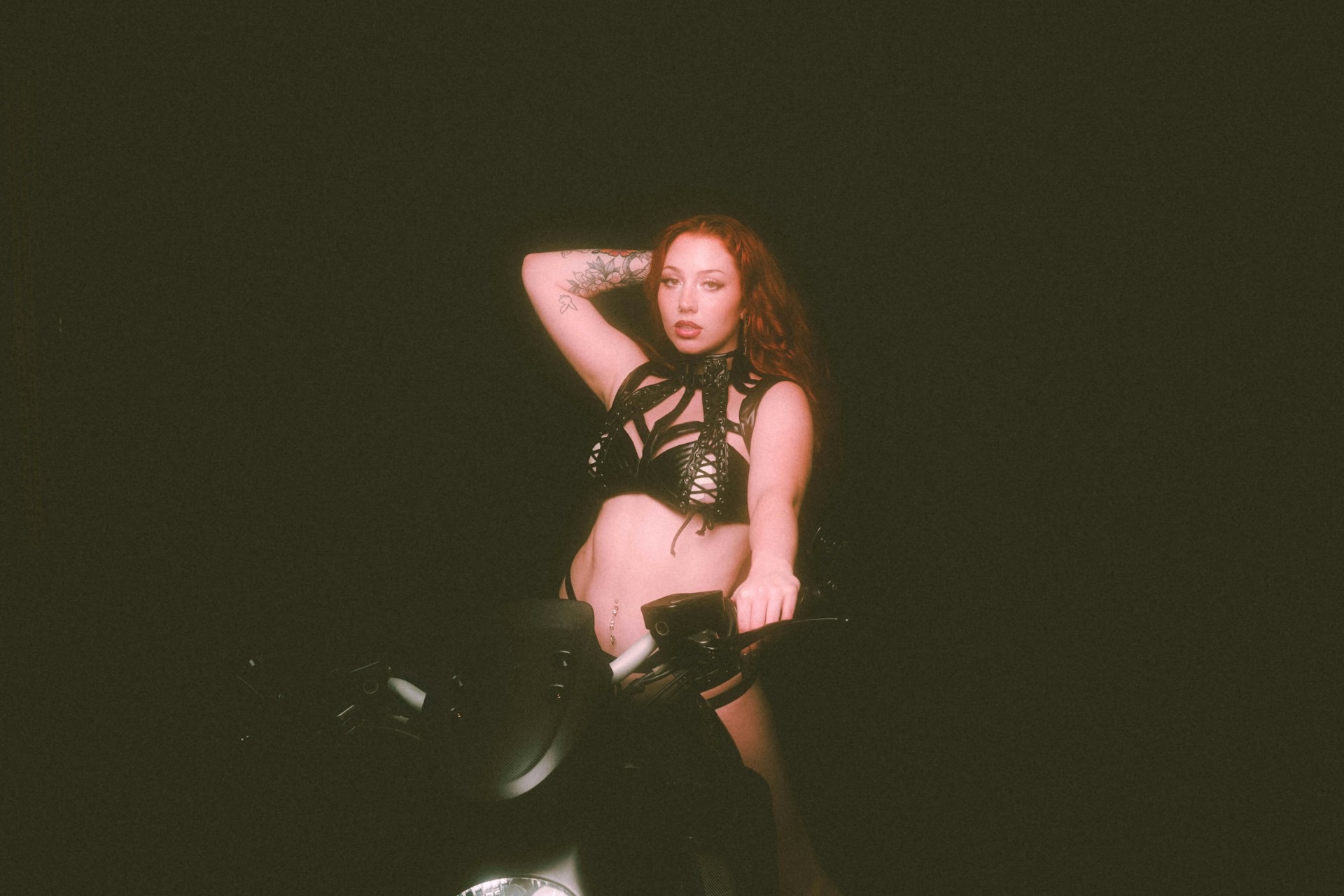
If you want a retro vibe that pops on screen and feels like a midnight VHS swap then you are in the right place. This guide breaks down how to craft the classic VHS look using digital filters and post production techniques. For a direct reference to the best VHS look resources head over to Best VHS OnlyFans.
Think of this as a toolkit for turning clean modern footage into something that feels worn in yet luxe. The goal is not to fool people into thinking the footage came from a dusty cassette player but to give the visuals the warmth grain and character that you associate with vintage analog media. This guide stays practical and punchy because your time matters and your content deserves to look bold even when the concept is deeply nostalgic. You will learn which filters matter the most how to combine them and how to tailor the result to your niche in the BDSM kink and fetish universe. This is not about turning away from modern clarity it is about layering a story onto your frames so they feel tactile and alive.
Understanding the VHS look and what you actually want to recreate
VHS images are not simple. They carry a distortion profile with color drift a soft glow noise and occasional frame jitter. The look has owned up to imperfections and made them part of the aesthetic. When you translate this to digital filters you are not trying to replicate every speck of dust you are crafting a controlled version of the vibe. The sweet spot is subtlety. You want warmth gentle color shifts a touch of grain and a hint of scan lines all without making the footage feel noisy or unreadable. Remember that the best VHS inspired clips feel like a memory rather than a broken download from the late night alleyways of the internet. You should be able to maintain sharp subject detail while the background takes on a soft dream like quality.
Key visual traits of the VHS look
- Color drift a slight bias toward greens teals magentas or yellows depending on the stock. It creates a warm retro mood rather than a flat modern color palette.
- Grain a light to medium film grain texture that adds texture without hiding detail in skin or clothing.
- Scan lines horizontal lines that mimic old playback. They should be faint enough to barely notice but present enough to anchor the look.
- Soft glow a gentle bloom around highlights that mimics the way old cameras bloom on bright light sources.
- A slight fade a gentle lift in black levels that reduces contrast a touch and creates the aged feel.
- Frame wobble occasional tiny shifts or jitter that convey imperfect playback. You do not want actual motion blur but a hint of instability.
- Noise floor a low level noise in shadows that keeps the image from looking too pristine especially in dark areas.
- Aspect ratio hints subtle letterboxing or a 4 by 3 shoulder to shoulder frame that nods to older displays.
Best VHS OnlyFans - Updated October 2026
| Picture | Model Name | Description | Price | View Profile |
|---|---|---|---|---|

|
✧✦ Your Asian Delight - Ari ✧✦ | Soft Korean cutie who starts shy then opens her legs fast. Daily content, customs, GFE and roleplay ready. | FREE | View Profile |
|
🌹 Lexy - Fifty Shades of Fantasy 🌹 | Hey, I’m Lexy, your Ukrainian muse weaving pleasure and artistry into every moment. Think Fifty Shades of Grey with a twist of elegance—soft silk, subtle control, and electric energy. 😘 Whether I’m leading with confidence or surrendering to the vibe, my world is all about sensual details and quiet power. Join me for exclusive, breathtaking content: from sultry yoga flows to modern art-inspired visuals that ignite your senses. My page is your sanctuary for beauty, desire, and connection. Ready to explore the depths of passion with me? Subscribe now and let’s create something unforgettable. 💋✨ | FREE | View Profile |

|
Valentina 🍑 BIGGEST ASS ON ONLYFANS | Latina 🍑 fire with the biggest cheeks. She takes 😈 charge and makes sure you feel it. | FREE | View Profile |
|
😈 Ali Cruz Da Latina 💓 | If you love curvy Latinas who go all the way, Ali is a must. Her JOI, B/G content and raw sexual energy make her one of the top choices in the spicy Latina kink category. | FREE | View Profile |

|
🇻🇳 Rae (´。• ᵕ •。`) | Cute Vietnamese cutie who’s shy in public but gets playful once you subscribe. Perfect for soft teasing and slow corruption. | FREE | View Profile |
|
😛 Slutty Jai ⭐ | Wholesome looks but extremely freaky in private. Jai delivers top-tier GFE mixed with raw kink and great curves. One of our consistent favorites. | FREE | View Profile |
|
🖤 Mari Love 🖤 | I’m Mariana — Latina with a wild heart and even wilder hands (usually covered in acrylic or flour) 🙈🙈 I design custom clothes, cook like it’s a love language, and somehow always end up laughing way too loud in the middle of everything 😅💃 I’m a ride-or-die type with a loud laugh, emotional heart, and zero filter when I’m excited 😂 Oh — and yes, I do believe the right playlist can fix any mood 🌪️ My life’s a mix of art projects, spontaneous nights with friends, and dreams of having my own sunlit studio by the beach someday 🌊🌿 Super chill, always real — message me if you’re into messy magic and good energy and let’s get to know each other better! 💬✨ | FREE | View Profile |
|
❤️Mira 🇲🇾 | Quiet Asian girl who needs attention and slowly turns into a needy slut. Soft start, filthy finish. | FREE | View Profile |
|
🥵 Shadow Kitsune | The most popular model on our site for good reason. This banned-for-filth ass goddess will do anything you want. Insanely hot, nasty, and built for worship. | FREE | View Profile |
|
Filthy Latina MILF Paula Flores 😈 | Hot busty Latina MILF who delivers exactly what she promises. Personally one of my favorites, fiery, kinky, and always down for dirty talk and intense sessions. She knows how to dominate your screen. | FREE | View Profile |
Tools you can use for the look across devices
You do not need the fanciest gear to pull this off. The right combination of filters and adjustments in your preferred software will do the trick. Here are approachable options for both desktop and mobile workflows. Pick one path and stay consistent so your look feels cohesive across content.
Desktop options
In a desktop environment you can combine multiple programs or stick with a single strong editor. The goal is to have precise control over color grading grain and noise. You can work non destructively so you still have the original footage to reference.
- Adobe Photoshop great for still frames though you can do basic noise grain and color edits on stills from video or exported frames due to its strong color tools and layer system.
- Adobe Premiere Pro your default for video. Use a combination of color grading tools plus a dedicated grain layer and a light film look pass to mimic VHS texture. You can chain effects with smart keyframes to track subject motion if needed.
- DaVinci Resolve another powerhouse for color work with robust film grain and texture options. Resolve makes it easy to apply a cohesive look across short clips or longer videos.
- After Effects use this for micro adjustments and for building reusable look templates. You can layer grain scan lines and a gentle glow with precise control over opacity and blending modes.
Mobile options
Mobile editing has exploded in capability and keeps you nimble. You can test looks quickly before committing to a longer edit or you can produce social ready videos with one pass. Here are efficient mobile tools for common tasks.
- CapCut a popular all around editor with easy to apply grain overlays color shifts and film effects that feel warm and slightly imperfect.
- InShot another versatile option with accessible color grading and a fast workflow for social media friendly exports.
- VSCO known for strong color presets and film inspired looks that slide nicely into a VHS direction when you layer grain and slight blur.
- Lightroom Mobile ideal for color grading on the fly when you need to push specific hues to the warm end of the spectrum and keep skin tones natural.
- Snapseed handy for fine adjustments and adding texture noise to small clips or frames that you later composite in a desktop editor.
Step by step approach to building a base VHS inspired look
This is a practical framework you can apply to most video content. You can treat it as a checklist and apply adjustments in the same order every time so you get predictable results. The exact numbers will depend on your source footage and the exact vibe you want to land. Use this as a starting point and then tweak for your cabinet of clips.
Step one define the base color mood
Start by determining the dominant color bias. Do not overcomplicate it. A warm bias toward amber yellow or a subtle magenta shift can make skin look inviting and the scenes feel nostalgic. If your footage leans bluish decide on a complementary warmth to offset the cool tone. The trick is to keep skin tones natural while the rest of the frame takes on a retro aura. A practical approach is to push shadows towards a gentle brown green or teal and portion highlights toward a soft yellow or pink with caution so you do not blow out faces.
Step two apply film grain
Grain defines the texture. Start with a light grain level and adjust to taste as you preview on multiple screens. The grain should feel organic not like a digital speckle storm. A medium grain can give the shot extra depth especially in darker areas. If you are stacking filters in a mobile app or in a desktop program use a single grain layer with a moderate amount and set it to a blending mode such as overlay or soft light so it blends with the underlying color grade rather than covering it up.
Step three introduce soft glow and bloom
Add a gentle glow around bright regions to mimic light leaks and bloom that you saw in old home video cameras. This softens highlights without sacrificing detail in the darker parts. The effect should feel natural so avoid pushing it so far that skin becomes smeared or eyes look milky. A subtle glow adds a dreamy quality that helps the retro vibe land with confidence.
Step four add scan lines and wobble
Scan lines evoke the old display. They should be faint and evenly distributed across the frame. A subtle pattern is easier on the eyes and maintains clarity for close ups. For wobble you can apply a tiny gentle motion effect at the frame level or add a very slight jitter during playback to simulate imperfect tape drift. The goal is to remind the viewer of the technology without distracting from the subject.
Step five adjust contrast and black levels
Move black levels slightly up to create a gentle lift in the shadows. This reduces harsh contrast and brings back detail in darker scenes. If your base color shift is strong you might need to compensate with a mild contrast reduction to preserve skin tones and texture. The end result should feel soft and tactile rather than clinical and sharp.
Step six finalize with sharpening and texture control
Apply a light sharpening pass to preserve details in the subject while keeping the grain and texture intact. Use a mask if necessary to protect skin from over sharpen. Texture control can be used to fine tune fabric details like leather or latex to ensure they read correctly in the retro frame.
Sub looks you can chase with small variations
Different niches crave different flavors of retro. You can tailor the VHS look to fit your content by focusing on a core set of adjustments and then tweaking the tail for each project. Here are three common sub looks and how to approach them.
Classic warm vintage VHS
This vibe leans into amber warmth and soft saturation. Keep a light film grain a tiny glow and a slight magenta shift in mid tones. The goal is to evoke classic cinema without making the footage feel old or dirty. You want the audience to sense the aura of a well kept memory rather than a grainy bargain bin clip.
Cold teal retro VHS
Some scenes benefit from a cooler mood with teal and blue mid tones. Combine this with a subtle green shadow lift and a blueish highlight tilt. The result is a moody capsule that still feels cinematic and cinematic is where you want to be if your content leans toward suspenseful slow burn or darker power dynamics. The teal look can make fabrics like leather pop and help skin tones stay believable while the frame reads as retro amid the glow.
Soft pink retro glow
For softer romantic moments a pink glow with a gentle pink-magenta bias can feel intimate and playful. Use a light grain and moderate glow to keep highlights from becoming harsh. This look suits slower intimate scenes where you want texture and warmth to carry the mood while maintaining a cinematic polish.
Sound track and audio alignment to match the look
Vision is critical but audio matters just as much. The VHS vibe benefits from a subtle audio aesthetic that implies analog capture. When you layer video effects consider how the audio sits in the mix. A touch of tape hiss or a light vinyl crackle can reinforce the retro mood without becoming a distraction. Do not overpower the main dialogue or the important cues in your scene. A careful balance between the visual and audio texture yields a cohesive retro feel that enhances the viewer’s immersion rather than pulling them out of the moment.
Practical tips for producing retro looking content for OnlyFans
Consistency is the secret sauce here. If you are building a catalog you want fans to immediately recognize your look across posts and clips. Here are practical pointers to keep your look uniform while allowing for creative variation.
- Establish a default film grain level for all new clips and adjust slightly when the scene demands it but keep the baseline stable.
- Create a reusable color grade preset that captures your base mood using your preferred software. It saves time and ensures a consistent brand feel across content.
- Use a fixed frame rate setting that stabilizes the look across devices. A slightly modest frame rate often feels more natural with VHS style finishing.
- Keep highlights soft and shadows preserved. Do not push contrast too far as the retro look can easily become harsh and modern in a hurry.
- Test your look on different screens including mobile devices. A retro look should read well on small screens where noise tends to be more visible.
- Maintain your subject clarity while the background gains the retro atmosphere. You want viewers to notice the person not the filter.
Real life scenarios with quick practical requests
Scenarios help you translate the look into actual workflow. Here are four common situations and sample requests you might use when working with a video editor or when applying looks yourself. Personalize the details to fit your content style and limits. Keep it clear and friendly to avoid back and forth that kills momentum.
Scenario one playful tease on a warm night
Situation You are creating a short teaser for a new post and you want a warm nostalgic vibe that feels sunny and intimate. You want the retro look but not too heavy on grain so the subject remains crisp and inviting.
Sample request Could you apply a warm vintage VHS look to this clip with a light grain and a soft glow. Use a subtle magenta tilt in the mid tones and a gentle yellow cast in the highlights. Please keep the skin tones natural and maintain clarity for the eyes. Also apply faint scan lines so the frame reads as classic retro footage.
Scenario two moody power dynamic with a cool tint
Situation The scene plays in a darker setting with leather outfits and a controlled dominant tone. You want a cooler teal bias that adds depth while preserving texture in fabric and skin detail.
Sample request I would like a cool teal retro look for the clip with teal mid tones and a restrained glow. Maintain skin fidelity and ensure the shadows hold detail. Include light film grain and faint scan lines without any visible banding or color clipping.
Scenario three intimate red glow with romance cues
Situation A close arresting moment where warmth and glow help the mood. You want a pink tinged vibe that softens the frame and enhances texture in fabric without washing out the subject.
Sample request Please give this a pink retro glow secondary warm color cast and light film grain. Ensure the glow remains subtle and skin tones stay natural. Add fours scan lines for authenticity and keep the overall brightness balanced so faces read clearly.
Scenario four a quick social cut with retro charm
Situation You need a fast turnaround for a social post and want a crisp yet unmistakably retro finish that reads well on mobile devices.
Sample request Deliver a 12 second clip with a classic warm vintage VHS look. Apply light grain and a gentle fade with a slight 4 by 3 framing or letterbox and keep motion smooth with modest frame stability. The subject should stay sharp and the background should feel comfortably textured.
Common mistakes fans and creators make and how to avoid them
Even the best attempts can stumble. Here is a quick list of frequent missteps and practical fixes that keep your look on point without slipping into cheesy territory.
- Over applying grain keeps viewers from recognizing details and makes the image rough. Fix by reducing grain intensity and preserving skin detail while adding texture primarily to the background or clothing.
- Excessive contrast can kill the retro mood and rob shadows of depth. Fix by easing blacks and protecting highlight detail so the image breathes.
- Strong color cast that masks subject color results in unrealistic skin tones. Fix by balancing the color shift with a skin tone reference and keep the hue shift focused on the non skin areas.
- Inconsistent frame rate or motion can feel jarring. Fix by locking a consistent frame rate and applying wobble in a controlled way that matches the tempo of the cut.
- Noisy or pixel peeping in small screens rediscover your look on a phone and adjust accordingly. Fix by testing on mobile screens and adjusting grain and sharpening to retain readability on small displays.
Glossary of terms to help you talk shop without sounding clueless
Understanding jargon helps you communicate efficiently with editors and helps you get exactly what you want. Here is a quick glossary to keep on hand as you work.
- Color grading the process of coloring the footage to achieve a desired mood or look. It is the bread and butter of the VHS vibe.
- Film grain artificial texture that imitates the natural grain of film. It adds depth and tactile feel to the image.
- Scan lines horizontal lines across the frame that replicate old video playback. They provide the signature retro texture without overwhelming the shot.
- Bloom a glow around bright areas which helps with the soft vintage glow and prevents highlights from looking flat.
- Noise floor subtle random variation in dark areas that keeps the frame looking organic rather than flat and smooth.
- Letterbox black bars at the top and bottom of the frame used to emulate older aspect ratios and preserve the intended composition.
- Frame wobble deliberate tiny movement or drift added to the footage to simulate imperfect playback and tape drift.
Search phrases and how to find collaborators to help you create the look
Finding the right editor or the right filter pack is easier if you use the right search phrases on social platforms and production forums. Start with general terms and then narrow to your niche. This approach helps you locate people who understand the vibe you want to achieve and can deliver consistently.
- VHS look LUT
- Retro film grain pack
- Analog vibe video editing
- Color grade vintage film
- Scan lines overlay
- 4 by 3 aspect ratio kit
- Soft glow film look
When you find a collaborator with a catalog that resonates with your vibe ask for a short sample and a clear price. It saves time and reduces miscommunication. It also makes it easier to decide whether you want to lean into a long term partnership or run a few one off trials before investing more heavily.
Safety and best practices when working with editors and creators
Working with others is a collaboration not a demand. Be clear and respectful with your requests and deliverables. Confirm the license and usage rights for any off platform sharing especially if you want to repurpose clips for promo posts or a personal portfolio. Always keep a written record of the agreed scope including length color grade and any special effects as well as the delivery timeline. Clear communication helps protect both you and your collaborator and keeps your project moving smoothly.
How to maintain your look across a library of clips
As your catalog grows you want to ensure that your retro look stays consistent. The best way to achieve this is by building a look library that includes at least three core elements that you always apply and a fourth that you adapt depending on the scene. This approach gives you consistency with room for variation when you need it.
- Base grade preset that covers color bias grain and glow. This is your core look and what you apply to new material first before any fine tuning.
- Texture and grain layer that you can slide up or down depending on the scene brightness or the shot type.
- Scan lines overlay with adjustable opacity. You can turn them down for daylight scenes and push them slightly for night sequences.
- Optional mood tweak if a scene demands something specific like a teal bias or a pink glow. Use this sparingly and keep it within a predictable range so fans recognize your brand instantly.
FAQ
What frame rate works best for VHS style looks
A frame rate around 24 frames per second is a natural choice for filmic content and two to three frames per second of intentional wobble can help emulate the analog feel without becoming distracting.
Can I use filters to imitate VHS on existing clips
Yes you can. Start with a subtle color shift add a light film grain and apply faint scan lines plus a soft glow. Make sure skin tones stay natural and background textures read as intended.
Should I apply the VHS look to audio as well
Audio can help reinforce the look. A touch of tape hiss or a very light analog warmth can complete the effect. Do not overpower dialogue with audio artifacts that compete with spoken words.
How do I keep color consistency across multiple clips
Use a base color grade preset and a fixed grain layer. Apply the preset to all clips then adjust only for scene specific needs. This keeps the color language consistent across your library.
Is this look suitable for all of my content
The retro VHS look works well for many scenes especially intimate or cinematic moments. If a scene benefits from a clean modern look you can switch to a neutral grade but consider tracking the mood so fans feel a purposeful brand continuity rather than a random mix.
What is the best way to test new looks quickly
Run a quick test on a short clip using a cap cut or mobile editor. Compare with your baseline preset on a phone and a larger display to be sure the look is versatile across devices. Use the feedback you get from viewers to fine tune the look for future posts.
Explore Popular OnlyFans Categories
Anal
Asian OnlyFans
BDSM
Big Ass OnlyFans
Big Tits OnlyFans
Bimboification
Bisexual OnlyFans
Brunette OnlyFans
Cheerleading Uniforms
College OnlyFans
Cosplay
Cuckold
Deepthroat OnlyFans
Dick Rating OnlyFans
E Girl OnlyFans
Exhibitionism
Feet
Fetish Models
Foot Worship
Goth
Hairy OnlyFans
JOI OnlyFans
Latex
Lesbian OnlyFans
Lingerie
Massages
No PPV
OnlyFans Blowjob
OnlyFans Streamers
Pegging
Petite OnlyFans
Piercings
Pornstar
Skinny
Small Tits
Squirting
Swinging
Tattoos
Teacher OnlyFans
Thick
Trans
Yoga OnlyFans
Oh and if you're looking for our complete list of the best OnlyFans accounts by niche, fetish and kink...check this out: Best OnlyFans Accounts
